Why is my site's icon not showing in Google?
A grey globe instead of your logo in search results? Google's favicon rules, the common mistakes and a one-minute check you can run yourself.

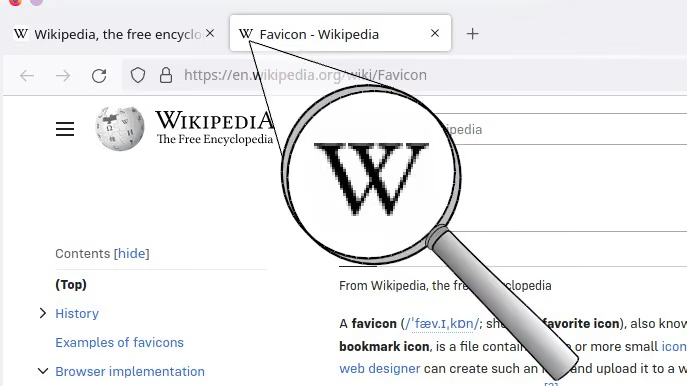
Usually because Google could not find or could not fetch it. The small picture next to your site's name in search results, the favicon, is a file Google reads from your home page and downloads separately. If something on that path gets stuck, Google puts a plain grey globe in its place. Google updated its favicon documentation on October 27, and the page now spells out redirects explicitly. In our view that is the cause people miss most often.
Where does Google get the icon from?
From one line in your home page's source: <link rel="icon" href="/favicon.png">. According to Google's favicon documentation the accepted values are icon, shortcut icon for older sites, and apple-touch-icon. The file does not have to live on your own site, a CDN is fine.
Google sends two separate crawlers for this. Googlebot reads the home page and Googlebot-Image downloads the icon file. If either one gets stuck, the icon does not show.
Which mistakes block the icon most often?
The home page redirects somewhere else. Google's documentation now says it plainly: Googlebot must be able to crawl the home page and follow every redirect from there to the page where the icon is declared. On sites whose root address sends visitors on to /en/, an old /Default.aspx address or a login page, that chain can break.
robots.txt or a security setting blocks it. Neither the home page nor the icon file may be blocked, by robots.txt or by any other means. A firewall with strict bot protection can also stop Googlebot-Image from downloading the file. You see that in the server logs. Reading those logs and finding blocks like this is one of the first things we do in technical SEO work.
The file is not square or the format is not supported. The icon must be square and at least 8×8 pixels. Google recommends something larger than 48×48 so it looks sharp on every screen. The supported formats are BMP, GIF, ICO, PNG, JPEG, PPM and TIFF. SVG is not on that list. A site with only an SVG icon may see it in the browser and still not in Google. Adding a PNG next to it is the easiest fix.
The icon belongs to a subfolder. Google shows one icon per domain and subdomain. shop.example.com can have its own icon, example.com/shop cannot.
The icon's address keeps changing. Google wants the address to stay stable. On a setup that renames the file with every release, the icon may update late.
I changed my icon. When will it show?
Not right away. Google notices when it recrawls the home page, and according to the documentation that can take from several days to several weeks. You can speed it up by requesting indexing for the home page with the URL Inspection tool in Search Console.
One caveat: Google does not guarantee the icon will appear even if you follow every rule. It also replaces icons it finds inappropriate with the default one.
How do I check my own site?
A one-minute check:
- Open your home page, right-click, view the page source and search for
rel="icon". If the line is missing, that is the problem. - Open the address on that line in the browser. If the icon does not open, or it redirects to another page, that is the problem.
- Open
yoursite.com/robots.txt. There should be noDisallowline blocking the home page or the icon's folder. - Type your home page address into the browser and watch where the address bar ends up. If it redirects more than once, consider shortening the chain.
- If all of that is fine, ask Search Console to recrawl the home page through URL Inspection and give it a few days.
On commitius the home page opens without a redirect and the icon is declared as both PNG and SVG. We keep the SVG for browsers and the PNG for Google.
The icon looks like a small thing, but it is the only image that sets you apart from competitors in a search result.