A real estate agency's website: the phone link dials the wrong number
The search box and listings layout work well, but the phone link is broken, the page slides sideways on phones and the title and description Google reads are close to empty.

We reviewed a real estate agency's website from the outside, the way a house hunter and Google see it. The search box comes first and switching between rent and sale takes one tap, which is good. But at the moment someone who saw a listing should call the office, the phone link does not work.
We also found gaps on the security side. We do not publish them here. We reported them to the site's owner directly.
What we would fix first. The phone link should be fixed today, because every broken tap is a lost call. The sideways scroll, the heading and the description can be done the same day. After that, proper titles, descriptions and image texts for every listing and area. In real estate the customer finds the listing on Google, and the better the page reads, the more listings show up in search.
Only public pages and page source were reviewed. No system was logged into and no form was submitted.
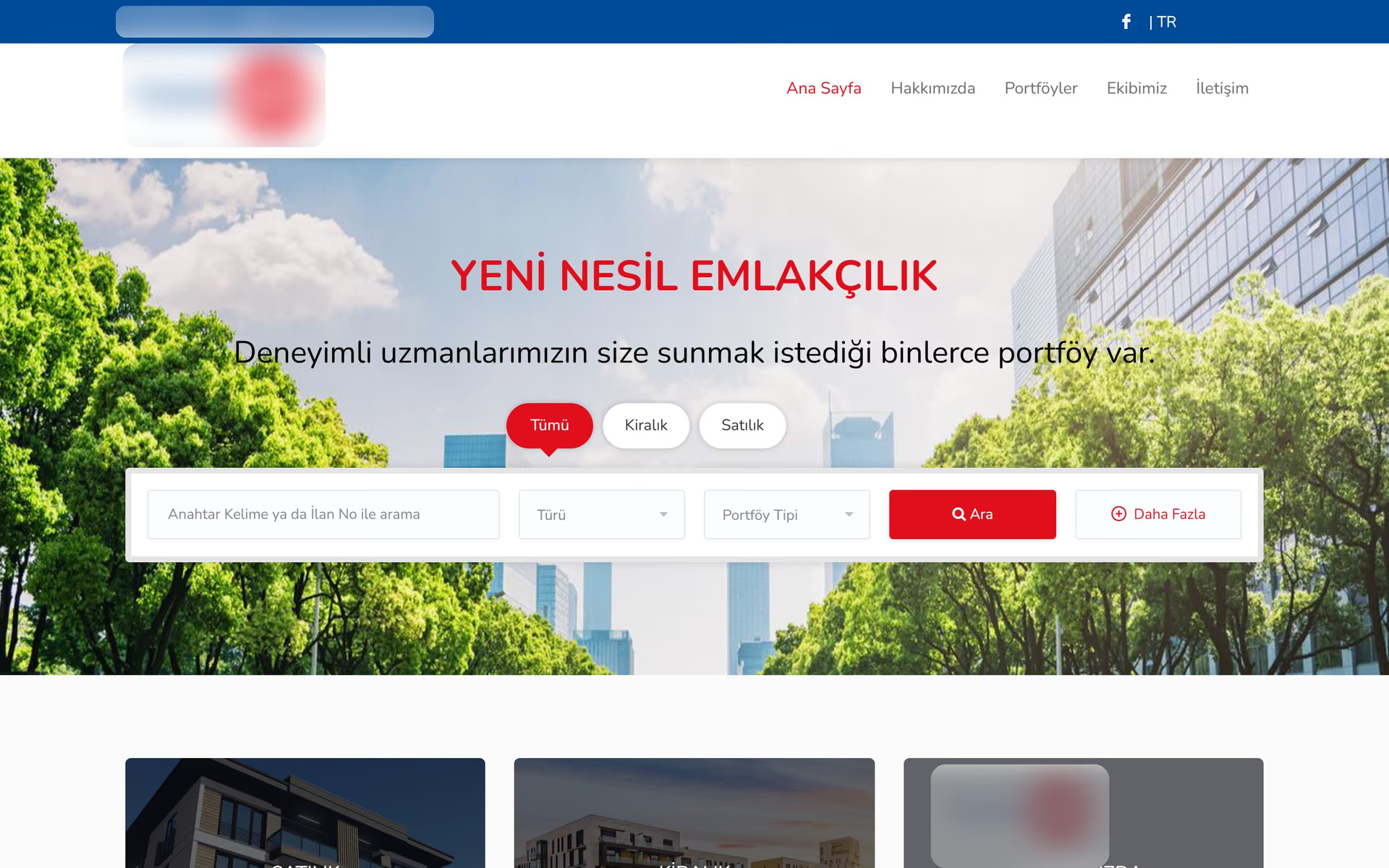
1The phone link dials the wrong number
- What is wrong
- The link behind the number in the top bar is written as "+0543...". After the plus sign comes the country code, 90 for Türkiye. Phones read this as a number with country code 0.
- What it costs
- Someone who taps to call either gets no call or reaches the wrong number. For an estate agency the most valuable moment is when the person who saw a listing calls.
- How to fix it
- Fix the link to start with +90. A one-minute job.
2The page has no main heading
- What is wrong
- "YENİ NESİL EMLAKÇILIK" looks like a heading but is an H2 in the code. The home page has no H1 at all.
- What it costs
- Google cannot read what the page is about from its heading, so for searches like flats for sale in the district the page sends a weak signal.
- How to fix it
- A single H1 that says what the agency does and which area it covers.
Other findings
3The page slides sideways on phones
- What is wrong
- On a 390-pixel phone screen the page is wider than the screen, so a swipe moves the whole page sideways.
- What it costs
- For someone browsing listings on a phone the site feels broken. Google also ranks pages that do not fit on phones lower.
- How to fix it
- Find the element that overflows and limit its width. Usually one line of CSS.
4The Google description is just the company name
- What is wrong
- The page's description tag holds only the agency's name.
- What it costs
- The search result does not say what the agency does, where it works or why to click. Google fills the snippet with a random piece of the page.
- How to fix it
- A description of about 150 characters naming the area, the service and a reason to get in touch.
5The home page opens at two addresses
- What is wrong
- The home page opens both at the root address and at "/Default.aspx". There is no canonical tag saying which one is the real page.
- What it costs
- Google sees the same page twice and splits its strength between them.
- How to fix it
- Permanently redirect "/Default.aspx" to the root and add a canonical tag to every page.
6Most images have no description
- What is wrong
- Of the 49 images on the home page, 31 have an empty alt text or none at all.
- What it costs
- Visitors using a screen reader cannot follow the listings, and traffic that could come from Google Images is lost.
- How to fix it
- Short descriptions for listing photos, for example "three-bedroom flat for sale, living room".
Get a free review of your site
Leave your site's address and we will look at it the same way. We write our findings to you privately and never publish your site here.